# Equipment Reconnection
For equipment reconnection;
- Enter your chassis number and press send
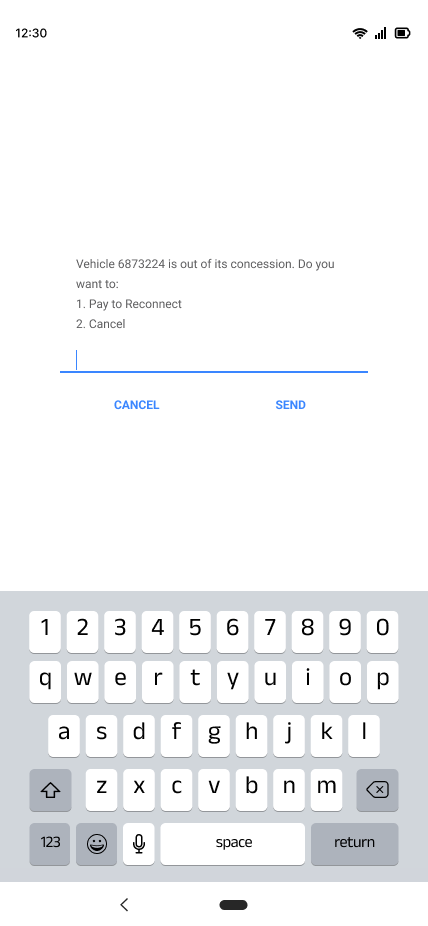
- A prompt confirming your chassis number and reason for the payment is sent
- You either press 1 to reconnect or 2 to cancel and then send.
[](https://books.asgmgh.com/uploads/images/gallery/2023-03/pay-decision.png)
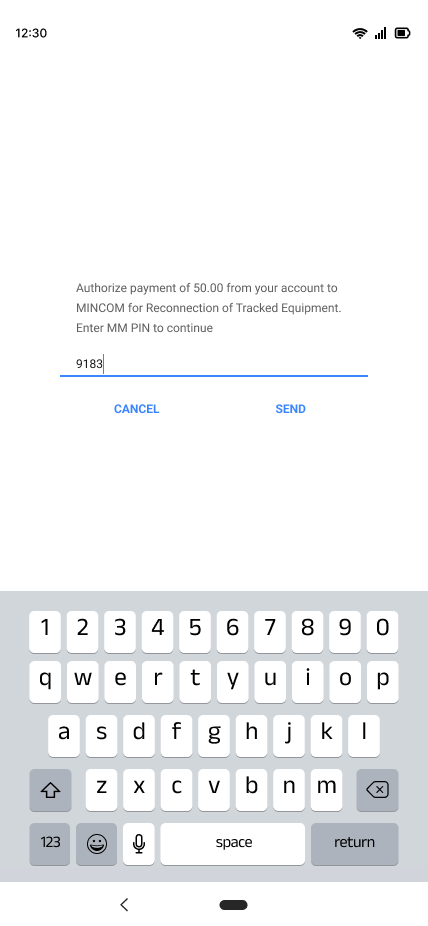
- After selecting 1 and sending you will receive a prompt to proceed with payment.
- You will then receive a prompt requiring you to enter you MM pin.
[](https://books.asgmgh.com/uploads/images/gallery/2023-03/authorize-payment.png)
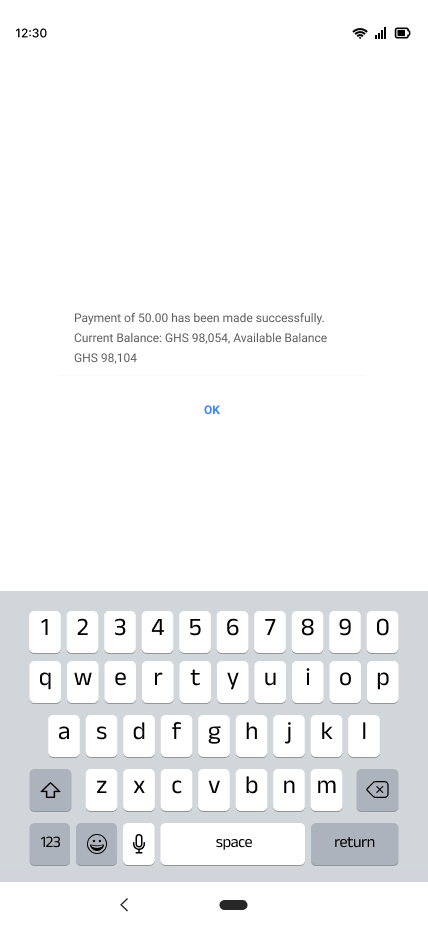
- After entering and sending your MM pin, you will then approve your transaction.
- You will receive a prompt stating that your payment has been made successfully.
[](https://books.asgmgh.com/uploads/images/gallery/2023-03/thank-you-final.png)